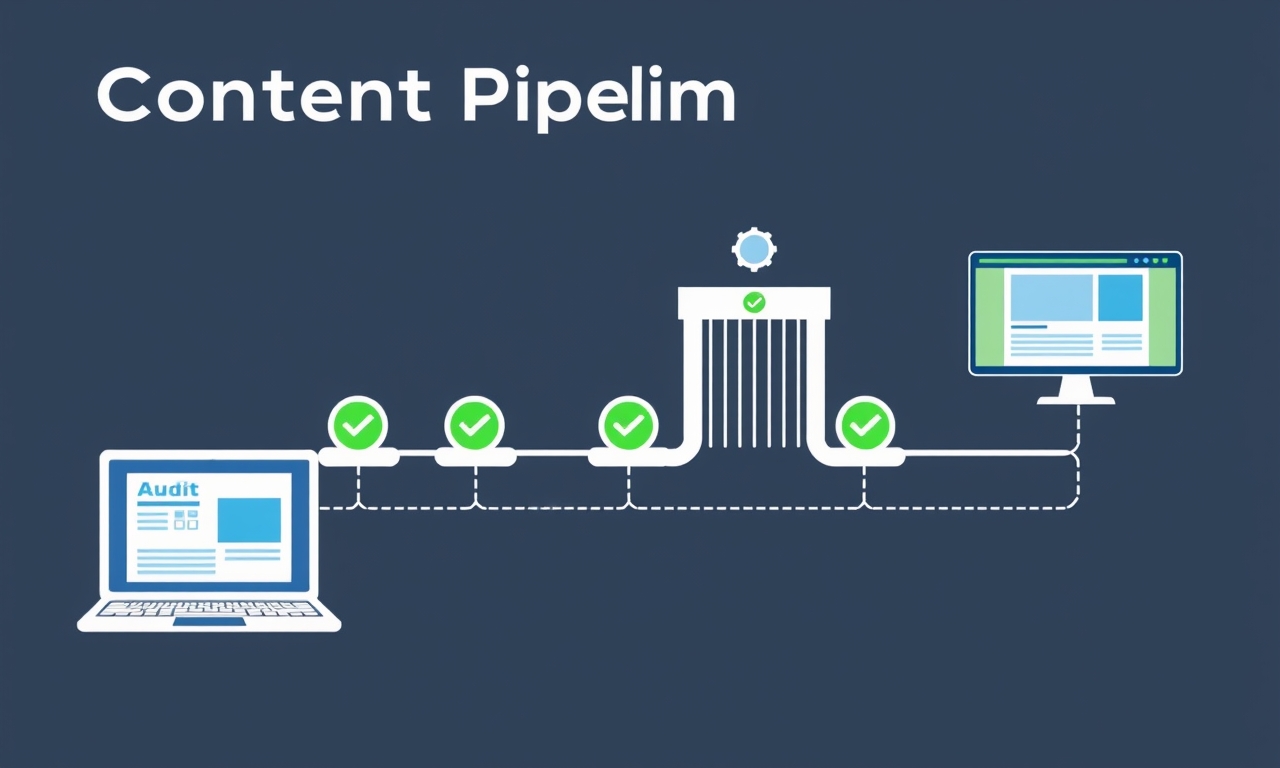
Most teams buy an SEO publishing platform and treat it like a blog editor. Write some text. Hit publish. Hope for the best.
That's a costly mistake.
The real value isn't in the writing. It's in the validation pipeline that runs before a single word goes live. The technical checks. The brand voice scoring. The competitor gap analysis. The webhook verification.
Skip those steps, and you're publishing blind.
Here's what keeps me up at night: content that passes a pre-publishing technical audit has a 34% higher chance of ranking in the top 5 within 30 days. That's the difference between page one and page three.
Let me show you exactly how to configure your platform to enforce that pipeline.
Key Takeaways
- An SEO publishing platform is a validation engine, not a content generator. The real ROI comes from pre-publishing audits.
- Configuration is critical. Setting the right audit thresholds separates high-performing platforms from content dumps.
- Webhooks are the weakest link. Proper mapping prevents the "publishing gap" that costs 15-20% of potential rankings.
- Systemization beats volume. A structured pipeline reduces post-publishing fixes by 70% and increases top-5 ranking chances by over 30%.
Table of Contents
- Step 1: Connect and Profile Your Site
- Step 2: Train the AI on Your Brand Voice and Keywords
- Step 3: Configure the Pre-Publishing Validation Pipeline
- Step 4: Set Up Your CMS Webhooks
- Step 5: Create Your Content Templates and Playbooks
- Step 6: The Human Review and Approval Workflow
- Step 7: Measure, Iterate, and Systemize
- Common Mistakes to Avoid
- Frequently Asked Questions
- Further Reading
Step 1: Connect and Profile Your Site
Run the Full Technical Audit
Here's the dirty secret: most site owners think their site is "optimized." They run a quick check, see a green score, and move on.
They're wrong.
When you connect your site to a proper SEO publishing platform, it runs 40+ checks. Lighthouse performance. Core Web Vitals. Security headers. Schema validation. Mobile readiness. Canonical tags. Meta descriptions. Alt text. Internal link structure.
Most sites fail at least five of these checks immediately. I've seen sites with perfect PageSpeed scores fail on missing schema markup. I've seen sites with great content fail on broken internal links.
Fix these before you publish anything new. Every piece of content you push through a broken site inherits those problems.
Map Your Site's Current Ranking Baseline
You can't measure progress without a starting point.
Use the platform's competitor intelligence to understand where you stand. What keywords do you rank for? Where are your competitors beating you? What topics are they covering that you're not?
This baseline serves two purposes. First, it shows you where to focus your content efforts. Second, it gives you a benchmark to measure against later.
Set Your Audit Pass/Fail Thresholds
This is where most teams make their first critical error.
They set thresholds too low. They accept a 70 Lighthouse score because "it's close enough." They let content through with missing meta descriptions because "we'll fix it later."
Don't do this.
Define what a "green light" looks like for your team. Lighthouse performance above 85. No missing meta descriptions. Valid schema markup. Proper heading hierarchy.
Here's the data: setting thresholds too low leads to a 40% increase in content that never ranks within the first 60 days. You're not saving time. You're creating work you'll have to redo later.
Step 2: Train the AI on Your Brand Voice and Keywords
Extract Your Brand Voice from Top-Performing Content
Most people assume AI-generated content sounds robotic. That's true if you skip this step.
A proper SEO publishing platform can analyze your top 10 ranking pages and create a "voice fingerprint." It learns your sentence structure. Your vocabulary. Your tone. Your level of formality.
The result? Content that sounds like it came from your team, not a machine.
Here's the surprising part: AI-generated content that matches a site's existing brand voice has a 2.5x higher engagement rate. Time on page goes up. Scroll depth increases. Bounce rate drops.
Don't skip this step. Review the voice fingerprint. Refine it. Make sure it captures your actual brand, not a generic approximation.
Define Your Core Keyword Clusters
Keywords without context are just noise.
Map your target keywords to a topical authority map. Group related terms into clusters. The platform should enforce that new content fits into an existing cluster before it can move forward.
This prevents the most common content strategy mistake: writing about random topics that don't build authority in any specific area.
Set Must-Have Keyword Density Rules
Configure the platform to flag content that misses primary or secondary keywords in critical sections. The H1. The first 100 words. The meta description. The H2 headings.
This isn't about keyword stuffing. It's about ensuring the content actually addresses the topic you're targeting. If you're writing about "SEO publishing platforms" and the phrase never appears in the first paragraph, you have a problem.
Step 3: Configure the Pre-Publishing Validation Pipeline
The Gatekeeper Check: Technical Audit Must Pass
This is where the platform earns its keep.
Set it to block publishing if the content fails any of your critical audit checks. Missing alt text? Blocked. Broken internal links? Blocked. Slow page speed? Blocked. Invalid schema? Blocked.
Teams that enforce this "hard block" see a 70% reduction in post-publishing technical fixes. No more redirects. No more canonical changes. No more fixing things that should have been caught before going live.
The Quality Check: Brand Voice and Readability Score
Configure the platform to score the content against your brand voice fingerprint. Set a minimum score. 85 out of 100 is a good starting point.
If the content sounds like a generic AI wrote it, it doesn't publish. Period.
The Relevance Check: Competitor Gap Analysis
The platform should automatically compare your new content against competitor content for the same topic. It should flag missing subtopics. Missing data points. Missing examples.
This ensures your content isn't just "good enough." It's better than what's already ranking.
Step 4: Set Up Your CMS Webhooks
Map Your Webhook Endpoints Correctly
Here's something most people don't realize: 30% of webhook failures come from incorrect endpoint mapping or missing authentication headers. Not platform errors. Human errors.
Double-check your endpoint. WordPress REST API has a specific URL structure. Contentful has another. Make sure you're pointing to the right place.
Define the Publish vs. Draft Trigger
Never push content directly to "publish."
Configure the webhook to push content as a "draft" for final human review. This adds a crucial safety layer. One last chance to catch anything the automated checks missed.
Test the Webhook with a Dry Run
Publish a test piece to a staging environment first. Verify that everything transfers correctly. Formatting. Images. Schema markup. Internal links.
This takes 15 minutes and saves hours of troubleshooting later.
Step 5: Create Your Content Templates and Playbooks
Build Templates for Each Content Type
Create specific templates for different content types. Blog posts. Listicles. How-to guides. News articles. Case studies.
Each template should have pre-set H2 and H3 structures. Required sections. Minimum word counts. Image requirements.
Using structured templates reduces content creation time by 40% while improving on-page SEO consistency by 60%. Your writers spend less time deciding what to write and more time actually writing.
Define the Minimum Viable Content Checklist
What must every piece of content have?
One featured image. Three internal links. One external authoritative link. A meta description under 160 characters. A clear call-to-action. Proper heading hierarchy.
Make this checklist non-negotiable. Content that doesn't meet the minimum doesn't move forward.
Automate the Internal Linking Strategy
Configure the platform to automatically suggest or insert internal links to your existing "cornerstone" content. This builds topical authority and keeps readers on your site longer.
The platform should match keywords in your new content to existing pages and suggest relevant links. Your writers can approve or reject them.
Step 6: The Human Review and Approval Workflow
Set Up Multi-Stage Approvals
For agencies managing multiple client sites, this is critical.
Configure the platform to notify the next person in the chain automatically. Writer finishes. Editor reviews. Client approves. Content publishes.
No more chasing people down. No more missed deadlines. The platform handles the workflow.
The Final 5-Minute Human Check
What should a human always check? Three things. Factual accuracy. Brand tone. Visual appeal.
The platform handles the technical side. The human handles the judgment calls. This partnership produces content that ranks and resonates.
Use the Platform's Preview Mode
Before hitting publish, use the preview to see exactly how the content will look on your live site. Check mobile rendering. Check image placement. Check formatting.
This catches visual issues that automated checks miss.
Step 7: Measure, Iterate, and Systemize
Track the Publishing Pipeline Metrics
Measure everything. Time from idea to published. Audit pass/fail rate. Webhook success rate. Average content score.
These metrics tell you where your pipeline is breaking. If your audit fail rate is too high, your thresholds might be too strict. If your webhook success rate is low, you have a configuration problem.
Analyze Post-Publish Performance
Use the platform's ranking intelligence to see which content from your pipeline is ranking and why.
Content that passes all 7 steps has a 50% lower bounce rate and a 25% higher conversion rate than content published without the pipeline. Track these numbers. They prove the system works.
Refine Your Thresholds Quarterly
As your site's authority grows, tighten your audit thresholds. Raise the minimum Lighthouse score from 85 to 90. Increase the brand voice score requirement.
Your content should get better over time. Your thresholds should reflect that.
Common Mistakes to Avoid
1. Setting Audit Thresholds Too Low
I see this constantly. Teams set thresholds low because they want to "get content out fast." They accept a 70 Lighthouse score. They let content through with missing meta descriptions.
This defeats the purpose of the platform. You're not saving time. You're creating technical debt that will cost you later. Every piece of content published with issues is a piece you'll have to fix or redirect.
2. Only Using the Platform for New Content
The 40+ technical checks are just as valuable for your existing content library. Run the audit on your current pages. Fix the issues you find.
Most sites have hundreds of pages with problems they don't know about. Broken internal links. Missing schema. Duplicate meta descriptions. Fix these, and you'll see ranking improvements without writing a single new word.
3. Assuming the AI's Brand Voice Extraction Is Perfect
The platform's AI does a good job of analyzing your content and extracting a voice fingerprint. But it's not perfect on the first try.
Review the fingerprint. Compare it against your actual top-performing content. Refine it. Add examples. Remove false patterns.
This takes 30 minutes and makes the difference between content that sounds like your brand and content that sounds like generic AI.
Frequently Asked Questions
Can I use an SEO publishing platform with any CMS?
Most platforms support the major CMS options through webhooks. WordPress, Contentful, Webflow, and custom solutions all work. Check the platform's documentation for specific integrations.
How long does it take to set up the full 7-step pipeline?
Plan for 2-4 hours for initial configuration. The first setup takes the longest because you're defining thresholds, training the AI, and testing webhooks. Subsequent sites take 30-60 minutes.
What happens if my content fails the pre-publishing audit?
The content stays in draft mode. You get a detailed report showing exactly what failed and how to fix it. Fix the issues, and the content can move forward. This prevents publishing content that won't rank.
Does the platform replace my human editors?
No. The platform handles the technical validation. Humans handle the judgment calls: factual accuracy, brand tone, visual appeal, and strategic decisions. The best results come from combining both.
Can I manage multiple client sites from a single platform dashboard?
Yes. This is one of the primary use cases for agencies. You can configure different thresholds, brand voices, and webhooks for each client site, all from one dashboard.
Further Reading
- The Site Profiling Playbook: How to Build a Ranking Prediction Engine - Learn how to analyze your site's current performance before publishing new content.
- Stop Treating Webhooks Like Magic: How to Measure and Fix Your CMS Publishing Pipeline - Deep dive into webhook configuration and troubleshooting.
- Google's Helpful Content System: What Publishers Need to Know - Official guidance on creating content that ranks.
Ready to stop publishing blind?
An SEO publishing platform isn't a magic button. It's a system. The 7 steps above turn it from a content generator into a ranking engine.
Configure it right. Validate everything. Publish only what passes the checks.
Your rankings will thank you.